← Back to blog
Motionlab Blog
How to Write a Script for a Motion Design Video
Noa Tuloup
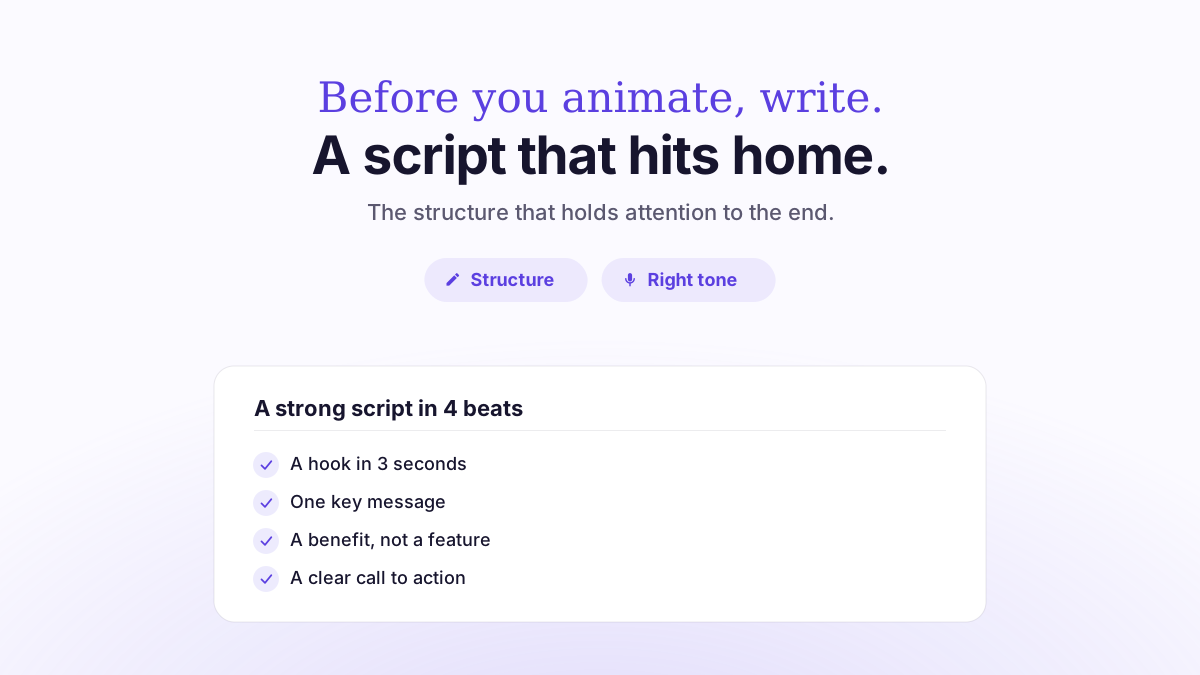
A motion design video script is built around a short narrative structure: a hook in the first five seconds, a problem, a solution, proof, then a call to action. Plan for roughly 130 to 150 words per minute of finished video: a 60-second video fits in about 130 words, and a 30-second video in 70 to 80 words. The script isn’t descriptive copy: it’s the backbone of the video, the thing that dictates the pace, the voiceover and the animation that follow.
Written well, it saves you costly back-and-forth during production. Written poorly, it produces a video that says everything and sticks with no one. Here’s how to structure it, time it and fix it before you even think about visuals.
What a motion design script really is (and what it isn’t)
A motion design script is the narrative text that carries the message: what the voiceover says, in what order, at what pace. It comes before the storyboard, which then turns that text into visuals, shot by shot. Mixing the two up is the most common mistake: people try to describe the animation before the message is locked, and the video loses its thread.
The golden rule comes from a physical constraint: a video is watched in linear time. Viewers can’t reread a sentence they missed the way they can on a web page. So every sentence has to be instantly clear, stand on its own and lead logically into the next one. A good script reads aloud without a single stumble.
Another fundamental difference from standard marketing copy: a script speaks to the ear, not the eye. You write the way you talk: short sentences, concrete words, one idea per sentence. Stiff corporate phrasing (“with regard to,” “it should be noted that”) breaks the flow and weighs down the voiceover.
The structure that works: hook, problem, solution, proof, action
The best explainer videos nearly all follow the same narrative arc. It’s not a lack of imagination: it’s what matches the way attention is captured and held.
1. The hook (0 to 5 seconds)
The first few seconds decide everything. If viewers can’t tell what you’re talking about within five seconds, they’re gone. The hook has to name the audience or the problem directly: no spinning logo, no “Welcome to…”. Get straight to the point with a question, an observation or a tension.
2. The problem (set up before the solution)
Name the viewer’s pain before you offer anything. That feels counterintuitive to many companies eager to talk about their product. But without a clearly stated problem, the solution has no perceived value. That’s the idea behind persuasive writing frameworks like “problem, agitate, solve”: establish the tension, then press on it before delivering the answer. Give this phase enough room in the script for viewers to recognize themselves.
3. The solution (the core)
This is where your product or service comes in, presented as the answer to the problem, not as a feature list. One strong idea beats five diluted arguments. In motion design, each benefit becomes a visual sequence: three well-animated benefits beat seven rushed ones.
4. The proof
A number, a client name, a tangible result. Proof anchors credibility in a single sentence. In a short video, it can shrink to a single metric or a logo, but it should never disappear.
5. The call to action (CTA)
One action, stated clearly: “Book a demo,” “Try it free.” Two competing CTAs dilute conversion. Plan the CTA at the writing stage, not in post-production.
Getting the length right: the words-per-minute rule
The most concrete constraint on a script is time. A voiceover artist reads at around 150 words per minute on average for a narrative tone, a little less (about 130) for a calmer corporate tone, and up to 160-170 for a punchy advertising tone. For B2B motion design, 130-150 words per minute is the working benchmark.
This rule turns a target length into a word budget. It helps you avoid the classic trap: a script that’s too long, which you then try to “squeeze in” by speeding up the voiceover, at the expense of breathing room and comprehension.
Video length | Word count (guideline) | Typical use |
|---|---|---|
15 seconds | 35-40 words | Social ad, teaser |
30 seconds | 70-80 words | Short-form social, ad spot |
60 seconds | ~130 words | SaaS explainer video, presentation video |
90 seconds | ~200 words | Detailed product explanation |
120 seconds | ~260-300 words | Onboarding, complex use case |
These benchmarks are deliberately low. In motion design, the visuals carry part of the message: you can often trim the copy because an animation shows what a sentence would have explained. To choose the right target length, see our guide to choosing between 30, 60 and 90 seconds.
The mistakes that sink a script
Trying to say everything. A script should champion one message, not your entire catalog. Every extra sentence pushes back the CTA and dilutes attention.
Writing for the eye. Long, literary sentences that sound off when read aloud. Foolproof test: read the script out loud. If you trip over a word, rewrite the sentence.
Delaying the hook. Opening with company background instead of the viewer’s problem.
Forgetting the visual rhythm. A good script leaves room to breathe: moments when the voice goes quiet and the animation speaks for itself.
Neglecting the voiceover. The script is written to be spoken. Choosing the tone and the voice actor starts at the writing stage (see our article on voiceovers).
A ready-to-use script template (60 seconds)
Here’s a reusable skeleton, calibrated for about 130 words:
Hook (0-5 s): “Every week, your teams lose hours to [tedious task].”
Problem (5-20 s): describe the concrete consequences, such as lost time, errors and frustration.
Solution (20-45 s): “[Product] automates [action]. In just a few clicks, you [benefit].” Two to three benefits, one per sequence.
Proof (45-52 s): “Already used by [number of clients / measurable result].”
CTA (52-60 s): “Book your demo today.”
This template isn’t a straitjacket: it’s a starting point you adapt to the brand’s tone. But it guarantees that the five essential building blocks are there, in the right order.
How we do it at Motionlab
At Motionlab, the script is included in every project, along with the storyboard, voiceover, licensed music and sound design. Our qualified French motion designers handcraft it, never with AI, working from your brief to land the right message and the right tone. Revisions are unlimited: if the script doesn’t sound right, we rework it until it carries your message, before animation even starts.
This upfront step is also what makes our 10-day delivery possible: an approved script means production never hits a wall. Our videos range from €1,500 to €8,000 excl. VAT depending on length and style, with a 60-second video usually landing between €3,000 and €4,500 excl. VAT. To set up a solid project, our guide on how to brief an agency is the perfect next read.
FAQ
How many words for a 60-second video?
About 130 words, based on a pace of 130 to 150 words per minute. In motion design, you often go a bit lower because the animation carries part of the message.
Who writes the script for a motion design video?
Ideally a scriptwriter or a motion designer, working from your brief. At Motionlab, our team writes the script and it’s included in the project, with unlimited revisions.
Should you write the script before the storyboard?
Yes. The script sets the message and the pace; the storyboard then turns that text into visuals. Reversing the order almost always leads to rework.
How do I know if my script is too long?
Read it aloud with a stopwatch in hand. If you go over the target length or have to speed up to fit, cut. An animation can often replace a sentence.
What’s the right length for an explainer video?
Most effective explainer videos run between 30 seconds and 2 minutes. Beyond that, attention drops and the message gets diluted.
Does the script include visual directions?
The script focuses on the spoken text. Visual directions come later in the storyboard, column by column, next to each line.
Take the next step
A good script is the difference between a video people watch to the end and one they close. If you’re planning a motion design project, let’s talk about your message before we talk about visuals. Book a free discovery call with Motionlab: free quote, 10-day delivery, unlimited revisions.
Got a video project to figure out?
Let’s talk about your next video and find the right angle.
Talk about my project